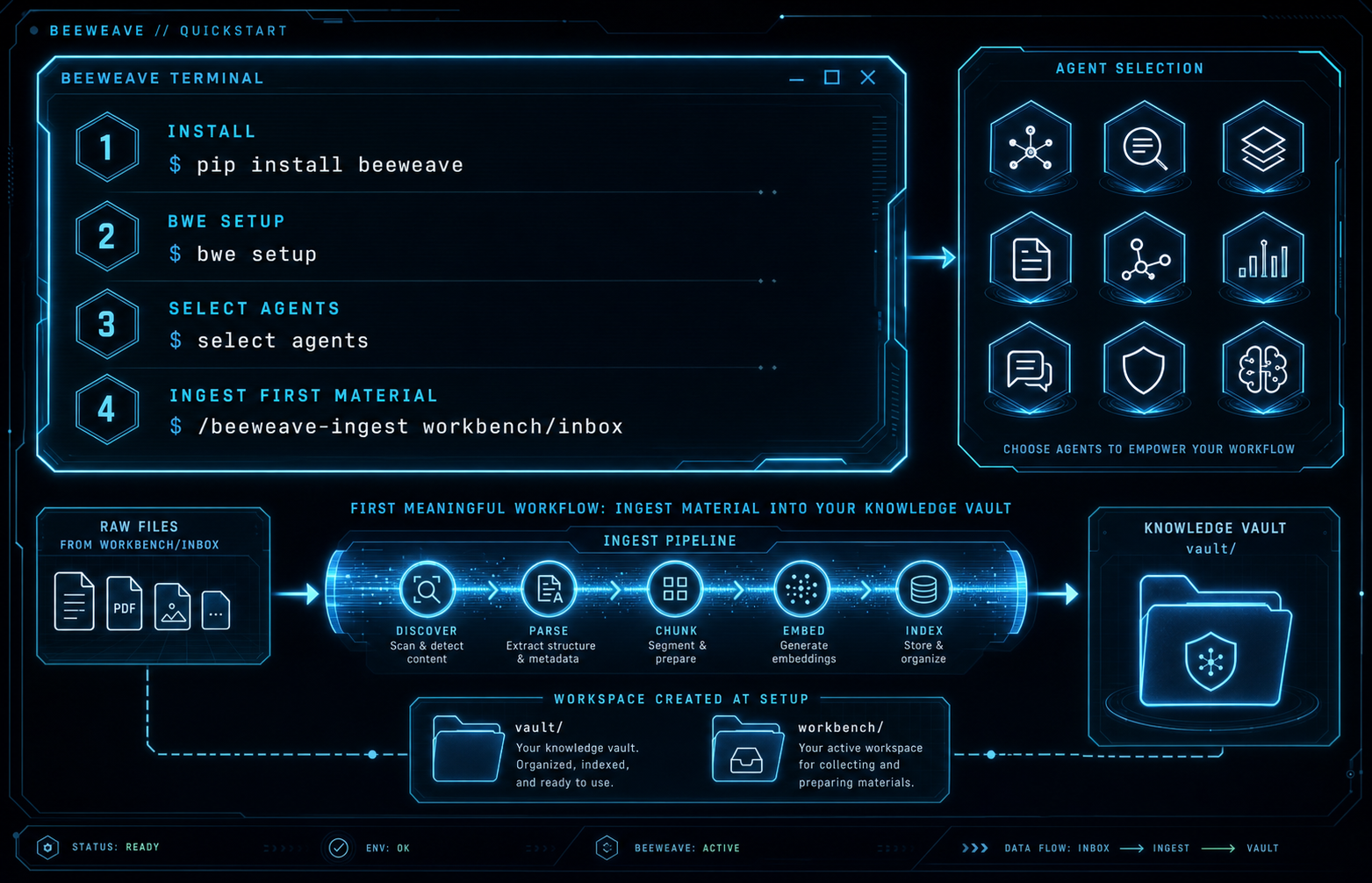
Quick Start
Install BeeWeave in the environment where you want to use the bwe CLI:
Then run setup in the project or workspace directory where BeeWeave should create its runtime folders:
bwe setup creates vault/ and workbench/ in the current workspace, writes
global config under ~/.beeweave/config, and installs the selected agent
skills and bootstrap files.
Common Commands
bwe info
bwe list
bwe setup --agents claude,codex
bwe setup --global-extra beeweave-capture,beeweave-status
bwe uninstall
bwe uninstall removes BeeWeave-managed skills, bootstrap files, and
~/.beeweave config. It does not delete your vault/ or workbench/ content.
Start the Knowledge Flywheel
After setup, open the workspace in a supported agent:
1. Capture knowledge
   /beeweave-ingest <URL, file, or directory>

2. Create · Writing flywheel
   /beeweave-url-capture <URL>
   /beeweave-article-writer Write an article from the captured source and my vault
   /beeweave-article-publisher <draft-path>

Capture → connect → create → publish → distill → create again
For knowledge-only workflows from any project:
/beeweave-ingest    → add files, folders, URLs, or inbox content to your vault
/beeweave-update    → sync durable project knowledge to your vault
/beeweave-query     → query existing knowledge in your vault
Source Checkout Setup
When working from this repository rather than the PyPI package, run:
Use the source checkout path for development. Use pip install beeweave for a
normal user installation.